.png&w=64&q=75)
Setting Up PullNotifier for Enterprise Managed Users
A step-by-step guide to configure PullNotifier with your GitHub EMU organization
1. Request EMU Account Setup
Click the button below to request EMU support for your organization. This initiates the manual mapping process on our end.
2. Wait for Processing
Our team will manually configure the mapping for your organization. This process typically takes around 4 to 8 hours during business hours. We will notify you via email once your organization has been set up.
3. Manage Team Access
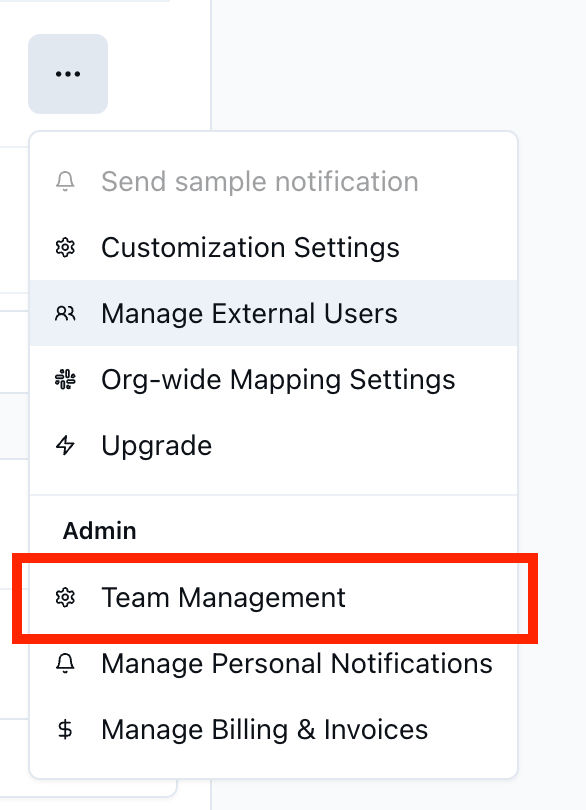
Once your organization is configured, you can grant access to other GitHub users to manage your PullNotifier settings. Navigate to Team Settings in your dashboard:
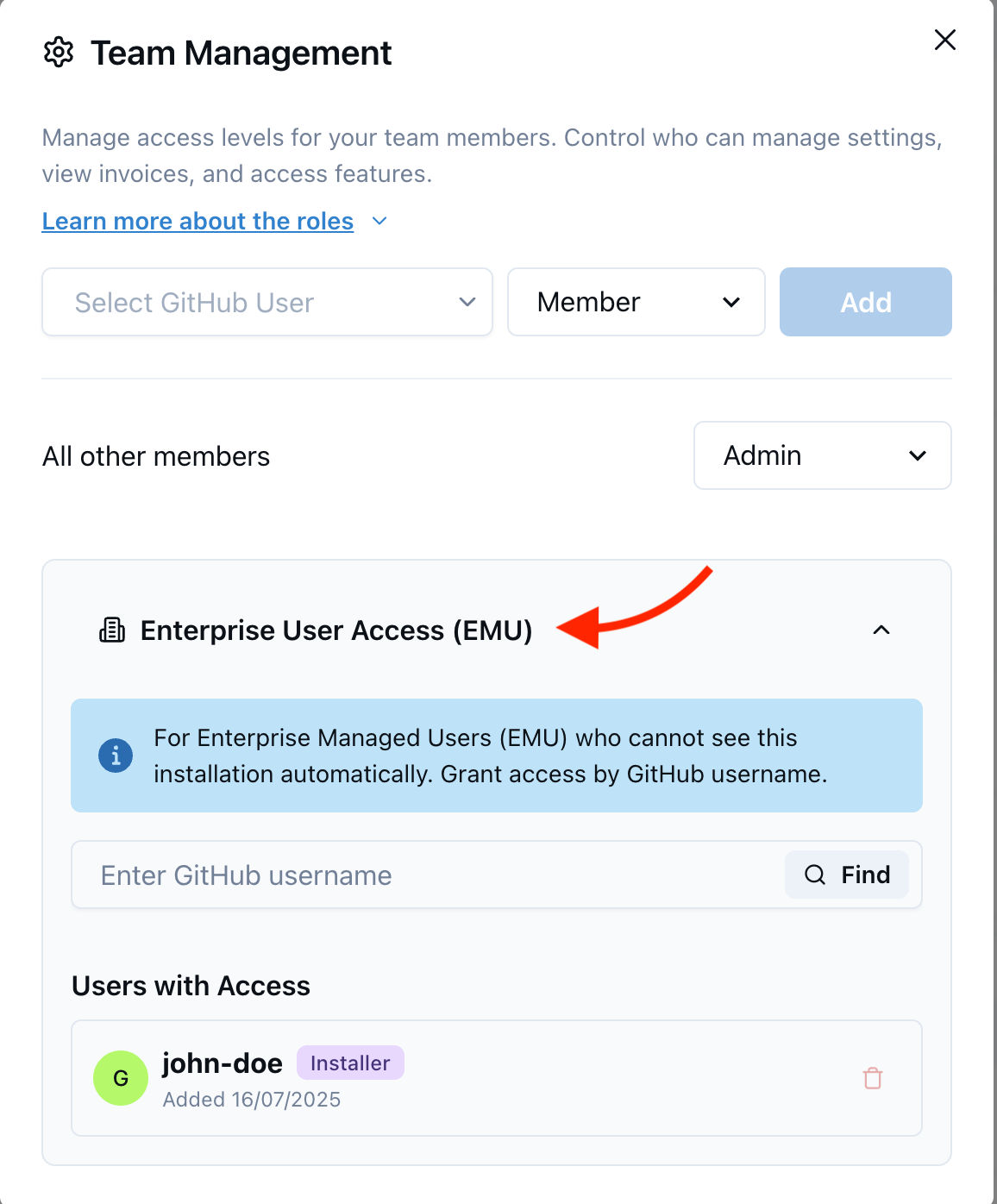
In the Team Settings, you will find a new Enterprise Managed Users section. Here you can add and manage GitHub users who should have access to your PullNotifier configuration:
Important Note
You can only add GitHub personal accounts (not EMU accounts) for managing PullNotifier settings. This is because we do not integrate with your enterprise SSO provider. The access granted here is strictly for configuring notification settings, Slack channel mappings, and other PullNotifier preferences. For more details, please review our security page.
4. 🎉 You're All Set
Your PullNotifier integration with GitHub EMU is now configured. Enjoy streamlined pull request notifications for your enterprise!
Need Help?
For any questions or assistance, please contact us at gabriel@manta.so